
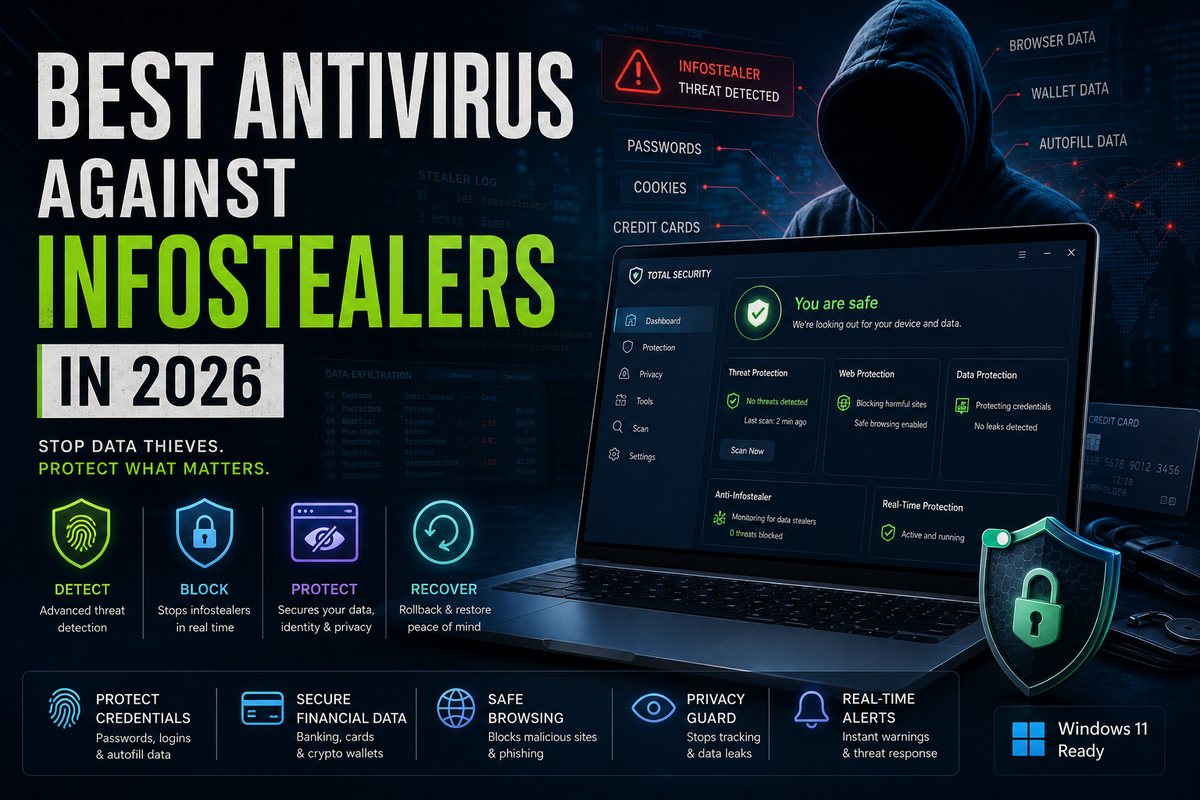
What an infostealer actually does
An infostealer is a small piece of malware with one job: get onto your machine, grab everything valuable, send it to the attacker, and leave. Researchers describe the pattern as lure → loader → loot, and it's worth understanding because it tells you where antivirus can realistically intervene.
- Lure — how it gets in. Phishing emails, cracked/"free" software, malvertising (poisoned search ads), fake software updates, and increasingly ClickFix pages that show a fake CAPTCHA or error and trick you into pasting a command into Windows Run or PowerShell yourself.
- Loader — the staging payload. Loaders like CastleLoader don't steal anything directly; they pull down and run the actual stealer in memory. CastleLoader has been documented spreading via ClickFix and fake GitHub repositories and dropping StealC, RedLine, Lumma and others. (The Hacker News)
- Loot — exfiltration. The stealer reads saved browser passwords, autofill data, crypto-wallet files, and — the dangerous part — session cookies, then ships it all to a command-and-control server, often within minutes.
The big-name families you'll see referenced are Lumma (LummaC2), RedLine, Vidar, StealC, and Raccoon on Windows, and Atomic / AMOS on macOS. As of early 2026, security reporting puts LummaC2, StealC and Vidar among the most actively distributed. (Trend Micro on Vidar 2.0) Historical marketplace snapshots have put Lumma at roughly half of Russian-speaking stealer-log offerings, but treat that as context rather than a live 2026 market-share number — what matters here is that Lumma activity resurged through loaders like CastleLoader after the 2025 disruption.
Why session-cookie theft beats your 2FA
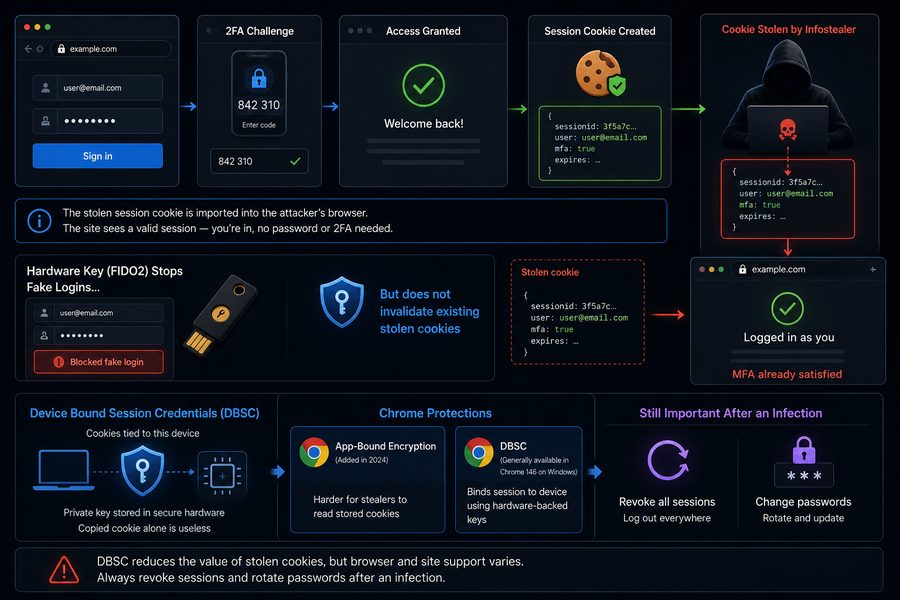
When you log into a site and complete MFA, the site hands your browser a session cookie — a token that says "this person already authenticated." Every page you load after that uses the cookie, not your password or your 2FA code. An infostealer that copies that cookie can import it into the attacker's own browser and get treated as you, with MFA already satisfied. Security teams call this a pass-the-cookie attack. (Huntress) Those session cookies can stay valid until you explicitly log out or they expire, which is why a single infection can mean weeks of quiet account access.
This is also why hardware-key MFA, on its own, isn't the whole answer. FIDO2 hardware keys stop fake-login and password-phishing flows, but they do not automatically invalidate cookies already stolen before the key was enrolled. That is why session revocation still comes first after an infection. Device Bound Session Credentials (DBSC) is the browser-side technology aimed specifically at shrinking the value of stolen cookies: it ties a session to a private key locked inside the device's secure hardware, so a copied cookie alone is useless. Chrome added App-Bound Encryption in 2024 to make stored cookies harder to read, though attackers published bypasses within months. (Packetlabs) Chrome 146 made DBSC generally available on Windows (with macOS support following). (Chrome for Developers) DBSC still depends on browser and site support, so don't treat it as a reason to skip password rotation and session revocation after infection.
Why your current setup may not be enough
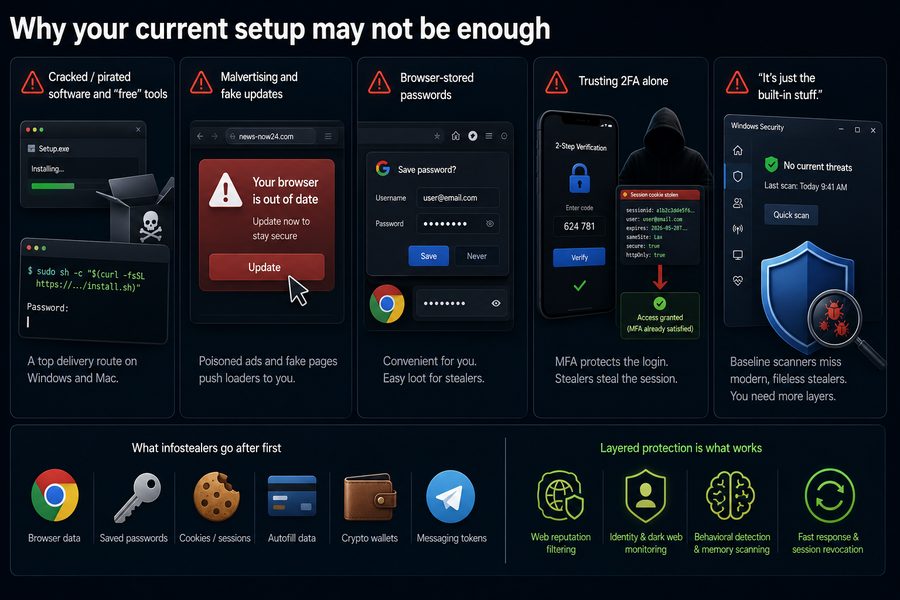
Most people who get hit aren't careless — they're just relying on defenses that infostealers are specifically built to walk around. A few common gaps:
- Cracked / pirated software and "free" tools. This is one of the most reliable delivery routes on both Windows and Mac. On macOS, AMOS campaigns have been distributed as cracked versions of legitimate apps, often with instructions to paste a Terminal command that sidesteps Gatekeeper. (Trend Micro)
- Malvertising and fake updates. Poisoned ads and "your browser is out of date" pages push loaders to people who never opened a sketchy attachment.
- Browser-stored passwords. The "save password in Chrome/Edge" convenience is exactly the vault stealers read first. A dedicated password manager with a master password is a meaningfully harder target.
- Trusting 2FA alone. As above, MFA protects the login, not the session. Cookie theft is the workaround.
- "It's just the built-in stuff." A baseline scanner catches a lot, but identity monitoring, web-reputation filtering, and behavioral detection of in-memory loaders are where the paid suites earn their place against this specific threat.
The 6 picks
No consumer antivirus publishes an infostealer-family-specific public detection score. We rank these products by useful layers: blocking the lure, catching the loader, reducing browser-stored credential exposure, and warning after a leak.
| Product | Best for | Independent lab presence | Identity / credential extras | Platforms |
|---|---|---|---|---|
| Bitdefender Total Security | All-round default | Regularly tested by AV-TEST & AV-Comparatives | Password manager (by tier), Safepay browser | Win, macOS, Android, iOS |
| Kaspersky Premium | Strong non-US option | Regularly tested (EU labs); not for US buyers | Password manager, Safe Money, identity features | Win, macOS, Android, iOS |
| ESET HOME Security Premium | Lightweight detection | Regularly tested by AV-Comparatives (ATP) | Password manager, Banking & Payment Protection | Win, macOS, Android |
| Norton 360 Advanced | Identity aftermath | Regularly tested by AV-TEST & AV-Comparatives | Dark-web monitoring, identity alerts, password manager, VPN | Win, macOS, Android, iOS |
| Malwarebytes Premium | Second-opinion cleanup | Not in current AV-TEST consumer cycle | Browser Guard extension | Win, macOS, Android, iOS |
| Microsoft Defender (+ free stack) | Free baseline | Regularly tested by AV-TEST & AV-Comparatives | None native — pair with a password manager + MFA | Windows |
1. Bitdefender Total Security
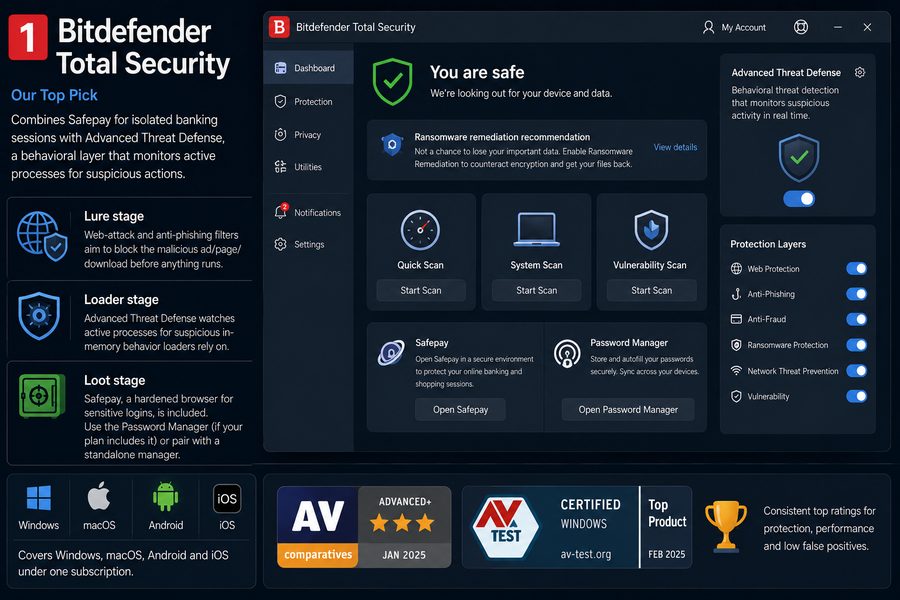
Bitdefender Total Security is our top pick because it combines Safepay for isolated banking sessions with Advanced Threat Defense, a behavioral layer that monitors active processes for suspicious actions. That is relevant to loader-stage malware, but it should not be read as a CastleLoader-specific guarantee. It also appears regularly in independent testing from AV-TEST and AV-Comparatives, with a consistent track record on web/phishing protection and low false positives.
- Lure stage: web-attack and anti-phishing filters aim to block the malicious ad/page/download before anything runs.
- Loader stage: Advanced Threat Defense watches active processes for the kind of suspicious in-memory behavior loaders rely on — a general behavioral layer, not a named-threat detector.
- Loot stage: depending on plan and region, Bitdefender can be paired with its Password Manager — if your tier includes it, use it; otherwise pair Total Security with a standalone manager like Bitwarden or 1Password, and don't rely on the browser's built-in vault for high-value accounts. Safepay, a hardened browser for sensitive logins, is included.
- Covers Windows, macOS, Android and iOS under one subscription.
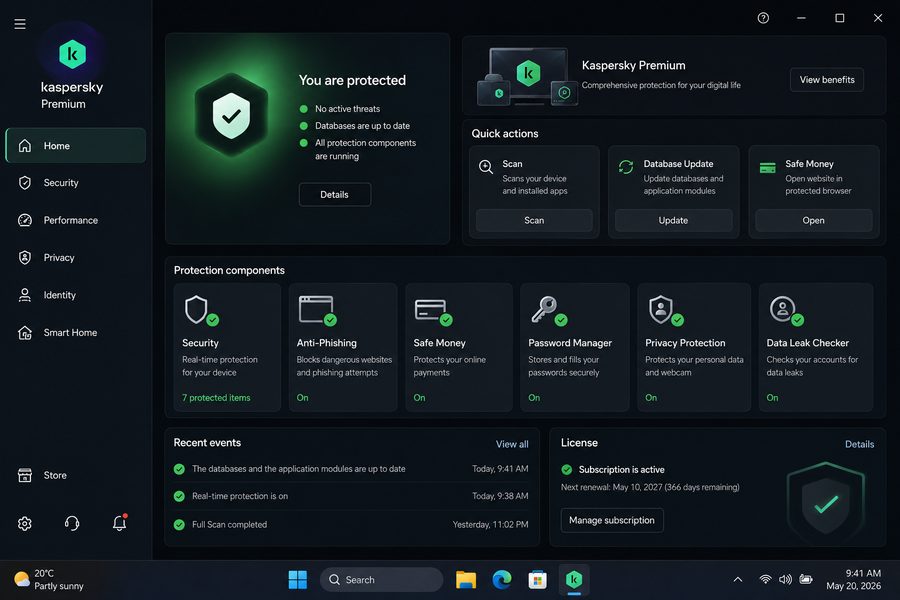
2. Kaspersky Premium
Kaspersky Premium is a fair non-US pick for users who want strong anti-phishing, Safe Money, and password-vault layers around the fake-update and fake-login pages that often surround stealer campaigns. Its detection engine remains well regarded and it continues to score well in independent European lab testing.
Important US note: the US Commerce Department's 2024 determination prohibits Kaspersky from directly or indirectly providing antivirus and cybersecurity products or services in the United States or to US persons; the rule restricted new sales from July 20, 2024 and ended US software updates after September 29, 2024. (US Commerce / BIS) The product remains widely available and independently lab-tested outside the United States. We present this neutrally: if you're a US buyer it's off the table, and elsewhere it's a legitimate strong option.
- Lure stage: mature anti-phishing and safe-browsing filtering.
- Loader stage: behavior-based detection and strong independent lab history.
- Loot stage: includes a password manager, Safe Money, and identity/data-leak features on the Premium tier.
3. ESET HOME Security Premium
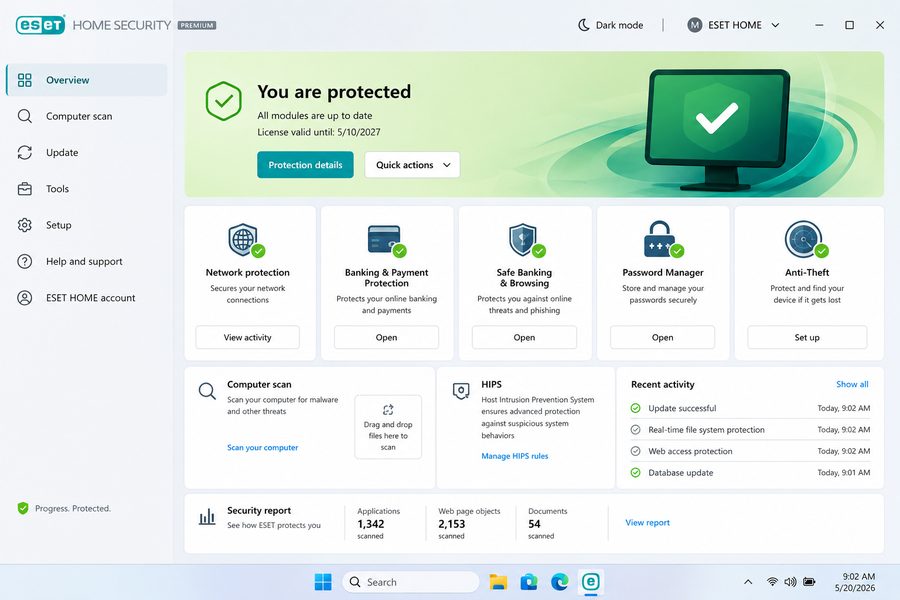
ESET earns its slot through a lightweight endpoint engine, Banking & Payment Protection, Safe Banking & Browsing, anti-phishing, and HIPS-style behavioural controls — useful layers when the threat is credential theft, even if ESET is not advertising an infostealer-specific mode. It posts consistently strong results in AV-Comparatives' Advanced Threat Protection testing, which is more relevant to evasive attack chains than a pure performance test — though it still isn't an infostealer-only benchmark. (AV-Comparatives ATP)
- Lure stage: network/web protection and anti-phishing.
- Loader stage: strong behavioral and exploit-focused detection, which is its core strength.
- Loot stage: HOME Security Premium adds a password manager and Banking & Payment Protection for sensitive logins.
4. Norton 360 Advanced
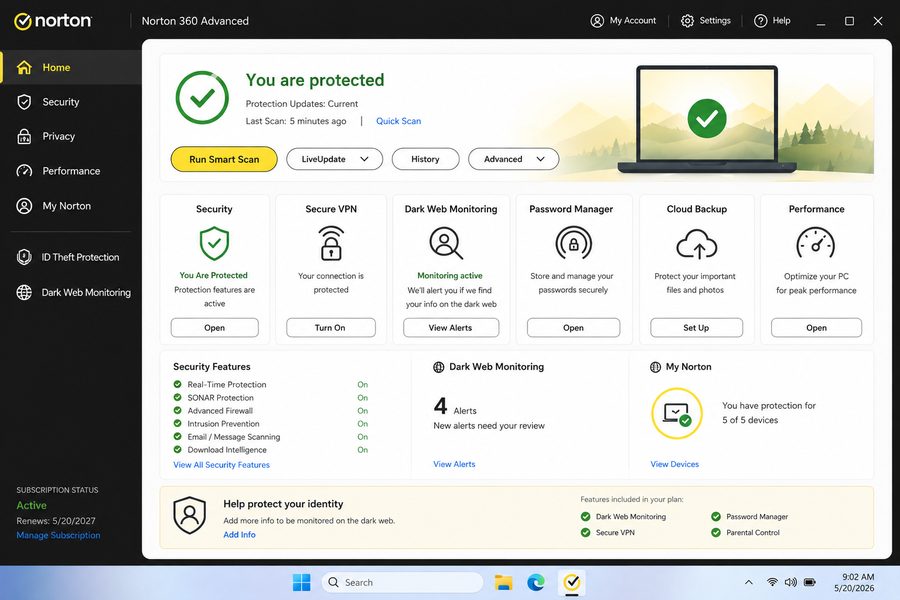
Norton's argument for the infostealer scenario is the aftermath. Even with good prevention, the realistic worry is that some credentials leak — and Norton 360 Advanced leans into identity and dark-web monitoring so you find out when your details surface, plus a password manager and VPN. It's the pick for people whose main fear is the downstream damage to bank, email and crypto accounts.
- Lure stage: Safe Web and anti-phishing browsing protection.
- Loader stage: SONAR/behavioral protection and intrusion prevention.
- Loot stage / aftermath: Dark Web Monitoring can alert when monitored identity data appears in known exposed datasets. Treat it as a post-breach signal, not proof that every stealer-log sale will be detected. A built-in password manager helps get credentials out of the browser.
5. Malwarebytes Premium
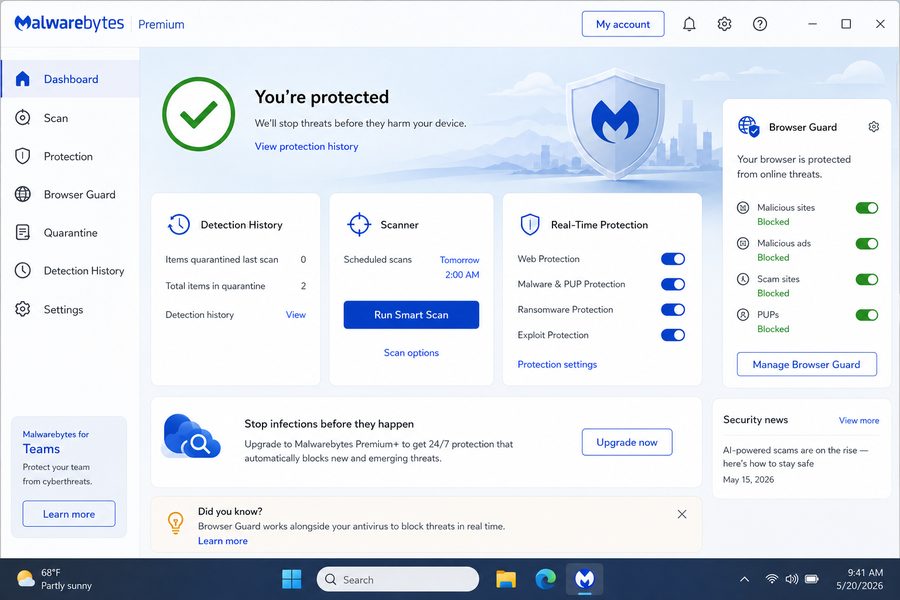
Malwarebytes Premium is useful as a second-opinion cleanup layer after a suspected infection, and Browser Guard is worth using even beside another primary antivirus. It's strong at detecting and removing the kind of loaders and stealers that slip past a primary scanner. It does less on the identity-monitoring and password-vault side than the suites above, so set expectations accordingly.
- Lure stage: Browser Guard can block malicious sites, ads, and known-bad pages used in scam chains, including some ClickFix-style lures when they are already in Malwarebytes' threat feed.
- Loader stage: behavior-based detection and a strong remediation/cleanup engine.
- Loot stage: primarily detection and removal — pair it with a dedicated password manager for the credential side.
6. Microsoft Defender (free baseline)
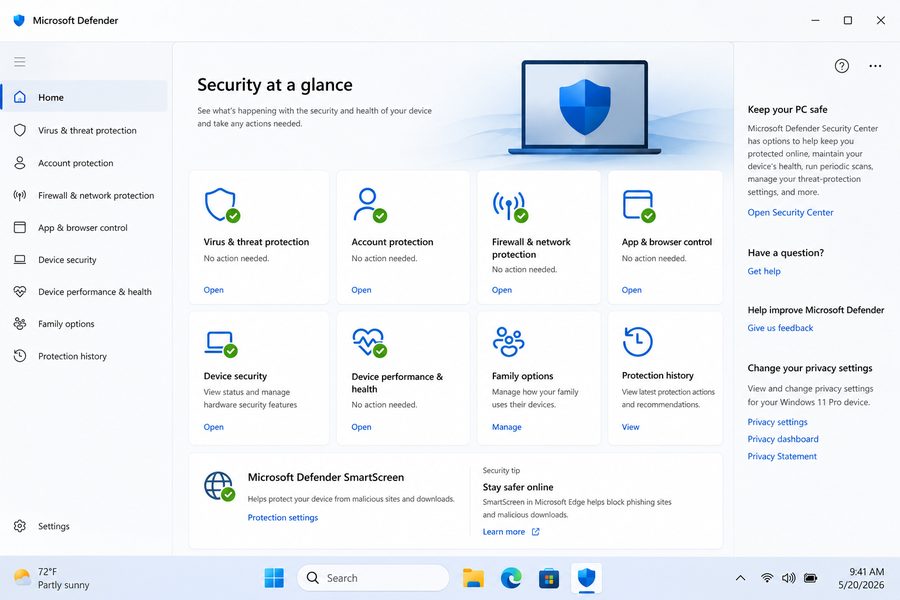
Microsoft Defender, built into Windows, is a genuinely solid free baseline — real-time protection, SmartScreen web/URL filtering, and cloud-delivered behavioral detection. For a careful user it stops a lot. But be honest about the gaps for this specific threat: it isn't a full identity suite, there's no built-in dark-web/credential-leak monitoring or password manager in the consumer Windows product, and you'll lean on Edge plus a separate password manager to cover the cookie/credential side. (Microsoft Defender for Individuals, part of some Microsoft 365 plans, adds identity-theft monitoring in certain regions.)
- Lure stage: Defender + Edge SmartScreen reputation filtering for known-bad sites and downloads.
- Loader stage: cloud-backed behavioral detection of suspicious in-memory activity.
- Loot stage: limited in the built-in Windows app — pair with a standalone password manager and MFA.
Best by user type
- Gamer who installs cracked games/mods: Bitdefender or ESET for behavioral catch on loaders — and seriously, stop running cracks, that's the #1 lure.
- Crypto holder: Bitdefender (Safepay hardened browser) plus a hardware wallet; stealers specifically hunt wallet files and seed phrases.
- Freelancer / one-person business: Norton 360 Advanced for identity + dark-web monitoring on the accounts your income depends on.
- Small business: ESET (low overhead) or Bitdefender across mixed Windows/Mac machines.
- Mac user: Bitdefender or Malwarebytes — AMOS/Atomic targets macOS, and "Macs don't get malware" is no longer a safe assumption.
- Budget / free only: Microsoft Defender plus a free password manager and MFA — a respectable baseline if you're disciplined.
- MFA-reliant professional: any of the paid suites, but the real fix is short session lifetimes plus a browser/OS that supports device-bound sessions (DBSC).
- Family / shared computer: Bitdefender or Norton for multi-device coverage and web filtering across kids' and parents' accounts.
- Password-reuser: any pick here plus a password manager today — reuse turns one stealer log into a chain of account takeovers.
- Post-infection cleanup: Malwarebytes as a second-opinion scan, then follow the recovery steps below from a clean device.
How to tell if you're already infected — and what to do first
Infostealers are built to be quiet, so there's often no dramatic symptom. Warning signs worth taking seriously: logins that suddenly require re-authentication, unfamiliar devices in your account's active-sessions list, password-reset emails you didn't request, posts or messages you didn't send, or a credential-leak alert from a monitoring service. If you recently ran cracked software, pasted a command from a "CAPTCHA"/error page, or installed a "browser update" from a pop-up, treat that as a likely exposure.
If you suspect an infection, the order of operations matters more than speed:
- Assume the infected device is untrusted. Don't change passwords on the machine you think is compromised — a running stealer or keylogger will just capture the new ones.
- Rotate passwords from a separate, clean device (a phone you trust, or another computer), starting with primary email, then financial, then everything reused.
- Revoke all active sessions / "sign out everywhere" on each important account. This is the step that kills stolen session cookies — changing the password alone may not.
- Reset and re-enroll MFA where the account allows it, and remove any unrecognized authenticator or trusted device.
- Enrol a hardware FIDO2 key on your primary email and at least one financial account after rotating passwords and revoking sessions from the clean device. Do not reconnect or reuse the original device for sensitive logins until it has been cleaned or rebuilt.
- Scan the affected machine: run Microsoft Defender Offline or a reputable rescue/offline scanner; if your paid suite offers a boot-time or rescue environment, use that. Then run a second-opinion scan from normal Windows after cleanup. For a heavily compromised machine, a clean OS reinstall is the safest path.
- Check for fallout: mail forwarding rules, OAuth app grants, crypto-wallet seed-phrase exposure, and recovery email/phone changes you didn't make. Checking your address at a breach-notification service like Have I Been Pwned can help confirm what leaked — but a clean HIBP result does not prove you weren't infected; private stealer logs may never reach public breach corpora.
We're deliberately not putting a clock on this. Recovery time depends on how many accounts were exposed and how fast the data was sold on — the right measure is "did I revoke every session and rotate every reused credential," not "did I finish in 15 minutes."
How we evaluate
A fair warning up front: there is no public independent lab that ranks "infostealer detection" as its own category. Anyone claiming a single product is the definitive leader against stealers is overstating what the data can show. So we don't.
Instead we weigh three things. First, independent lab results from AV-TEST and AV-Comparatives — AV-TEST scores Protection, Performance and Usability on a 6/6/6 scale, and AV-Comparatives runs separate Real-World Protection, Malware Protection and Advanced Threat Protection tests (the last of which is more relevant to evasive attack chains than a pure performance test, though not an infostealer-only benchmark). We're careful not to conflate a performance score with a protection score; they measure different things, and we cite a product's presence in a given factsheet rather than awards we can't source. Second, the feature fit for this specific threat: web/phishing filtering at the lure stage, behavioral/in-memory detection at the loader stage, and credential/identity protection at the loot stage. Third, honest scoping of what each product does and doesn't cover — which is why we flag, for example, that Defender lacks native identity monitoring and Malwarebytes is more cleanup than identity suite. Every vendor capability we cite is one we can confirm on the current product page; where a feature varies by tier or region we say so rather than guess.
FAQ
Does MFA stop infostealers?
Not on its own. 2FA protects the moment you log in, but infostealers steal the session cookie created after a successful login, which lets an attacker bypass MFA via a pass-the-cookie replay. The fix is session revocation after infection, then phishing-resistant MFA such as FIDO2 hardware keys, plus browser/session technologies like DBSC where supported. A good antivirus aims to block the malware before it ever reads that cookie.
Was Lumma Stealer taken down?
It was disrupted, not eradicated. In May 2025, Microsoft's Digital Crimes Unit, Europol's EC3, the US DOJ and Japan's JC3 seized roughly 2,300 Lumma domains and its command infrastructure. (Microsoft) Lumma rebuilt within weeks, showing that it had not disappeared after the May 2025 disruption and had shifted into fresh loader-driven distribution.
Do infostealers affect Macs?
Yes. The Atomic / AMOS family targets macOS and has spread through cracked-software lures and Terminal-paste tricks that get around Gatekeeper. (Trend Micro) Mac users should run protection and avoid pirated apps just like Windows users.
Is saving passwords in my browser dangerous?
It's the first thing a stealer reads. The browser password vault and autofill data are primary targets. A dedicated password manager with its own master password is a harder target and keeps your logins out of the file the malware grabs.
Will Chrome's new protections fix this on their own?
They help but aren't a complete answer yet. App-Bound Encryption (2024) was bypassed within months, and Device Bound Session Credentials (DBSC), which binds sessions to device hardware, became generally available on Windows in Chrome 146 with macOS following — but it depends on browser and site support. (Chrome for Developers) Until DBSC is everywhere, endpoint protection plus session hygiene is still your main defense.
Is Microsoft Defender enough on its own?
For a disciplined user it's a solid free baseline with real-time and behavioral protection. But the built-in Windows app doesn't include native dark-web/credential-leak monitoring or a password manager, so for the credential side of infostealers you'll want to add a password manager and MFA, or step up to a paid suite.
Can I still use Kaspersky?
It depends where you are. In the US, a 2024 Commerce Department determination prohibits Kaspersky from directly or indirectly providing its products or services to US persons, and US updates ended after September 29, 2024. (US Commerce / BIS) Outside the US it remains available and independently lab-tested, where it's a strong option. We present this neutrally so you can make your own call.