
Is Windows Defender Good Enough in 2026?
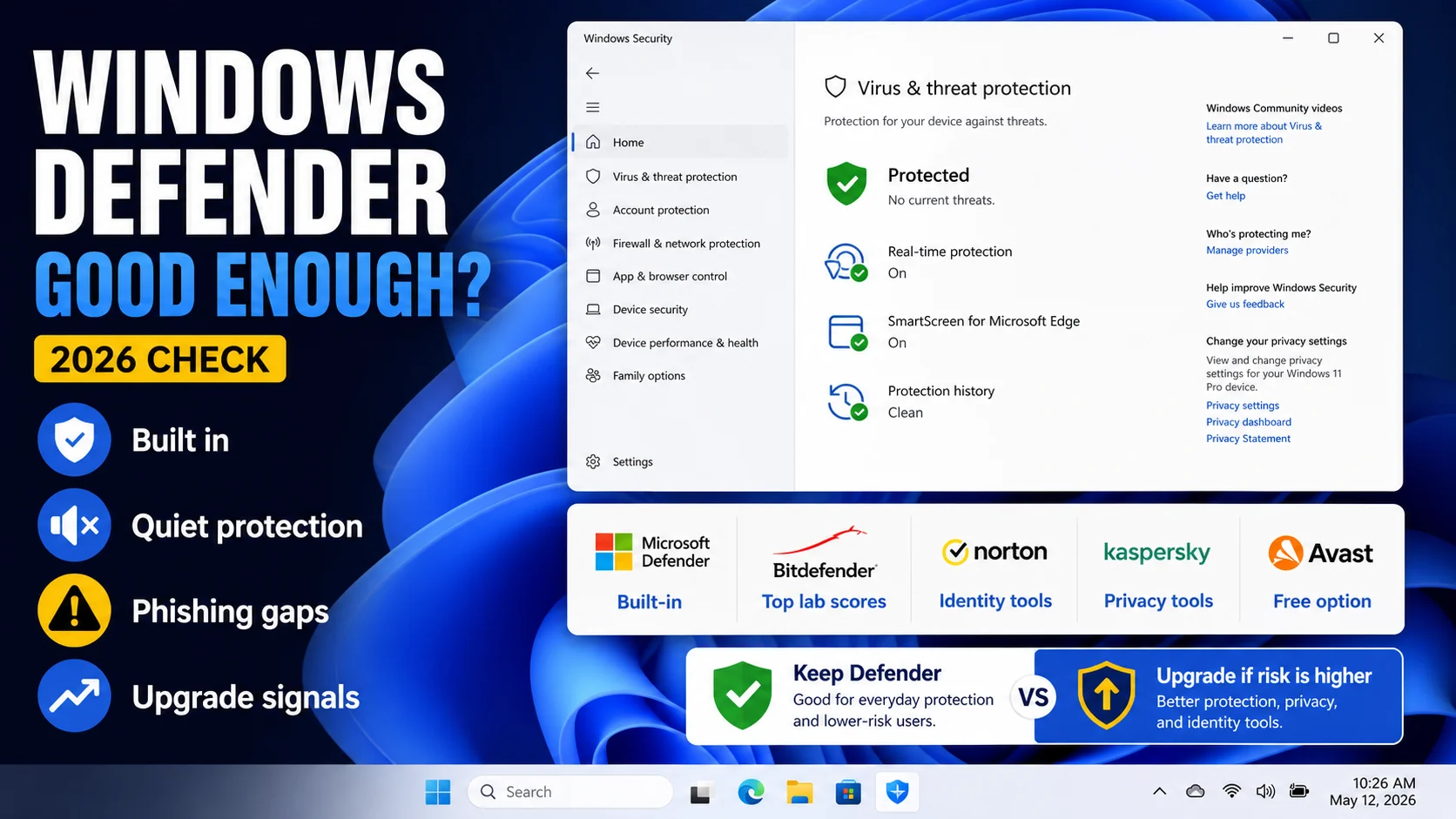
Windows always had some built-in tools for protection. But they were far from reliable, and users never trusted them. However, we can see how Microsoft tries to improve its products. And Windows Defender is supposed to become better, too (Windows Defender review).
So is it any good now, or should Windows users continue getting third-party antiviruses to keep their computers protected? Let’s take a look at lab tests and figure out if you can trust this tool.
The Short Answer
Yes, Microsoft Defender is good enough as a baseline antivirus in 2026 for most Windows 11 users. It scored a perfect 18/18 at AV-TEST February 2026 (Protection 6/6, Performance 6/6, Usability 6/6), matching Norton, Bitdefender, and Kaspersky. It is free, it ships with Windows, it updates through Windows Update, it has minimal system impact, and it does not nag you to buy anything.

But "good enough" is not "complete." Defender is a pure antivirus product. It does not include a VPN, password manager, identity-theft protection, cross-platform coverage, dark-web monitoring, or active-infection cleanup tooling at the level of a dedicated anti-malware product. For a user whose threat model is basic — mainstream Windows laptop, normal browsing, occasional downloads — Defender alone is defensible. For a user who faces phishing, shops online with saved cards, uses public Wi-Fi, or has already had a malware incident, layering Malwarebytes Premium alongside Defender is the consensus community recommendation on r/antivirus and r/techsupport.
This review covers exactly what Defender includes, what it does not, and where the layering advice comes from — with current May 2026 test data.
Lab Test Results — The Numbers
AV-TEST February 2026 (Windows 11 Home User). Microsoft Defender Antivirus 4.18.25xxx scored 18 / 18:
- Protection: 6/6 — 100% of zero-day attacks blocked, 100% of prevalent malware detected.
- Performance: 6/6 — system-impact score at or better than industry average across all five benchmark categories.
- Usability: 6/6 — zero false positives on legitimate software, zero warnings on clean websites.
Defender has scored 18/18 in every AV-TEST cycle from 2023 onward. It is one of only nine products to achieve perfect scores in the February 2026 cycle — the others being Norton 360, Bitdefender Total Security, Kaspersky, McAfee+, Avast One, AVG, F-Secure, and G DATA.
AV-Comparatives May 2026 Performance Test and 2025 consumer reports. Microsoft Defender earned Advanced+ across Real-World Protection and Performance (the top grade), with silver-level results on Malware Protection and Advanced Threat Protection. Specifically, Real-World Protection tests during 2025 averaged 99.8% — well inside the band defined by the paid top-tier products.
Historical context. Defender's lab-test scores crossed the threshold from "acceptable baseline" to "genuinely top-tier" around 2020. The 2025-2026 results are the fifth consecutive year of top-product-equivalent scores. The old advice "Defender is fine for light users but real users need a paid AV" is empirically outdated on the detection axis.
What Defender Actually Includes in Windows 11 (2026)
Windows 11 ships with what Microsoft calls the Windows Security suite, of which Defender Antivirus is the core. The full feature set:
Microsoft Defender Antivirus. Real-time protection, cloud-delivered protection, automatic sample submission (opt-out), behavior monitoring, tamper protection. Core antivirus engine, the thing that delivered the 18/18 score.
Controlled Folder Access. Ransomware protection by default-denying write access to Documents, Pictures, Desktop, and custom folders except from whitelisted apps. Off by default — turn it on at Windows Security > Virus & threat protection > Manage ransomware protection. Few users know this exists; it is the single biggest Defender feature for real-world defense on a consumer PC.
SmartScreen. Phishing and malicious-download protection integrated into Edge, Windows Explorer, and the Microsoft Store. Checks URLs and downloads against Microsoft's reputation service. Effective; comparable to Google Safe Browsing.
Firewall & network protection. Windows Firewall with Advanced Security. Adequate consumer firewall. Not as granular as Norton's Smart Firewall, but defaults are safe.
App & browser control. SmartScreen policies for Microsoft Edge, warnings on unsigned executables, Exploit Protection mitigations (DEP, ASLR, CFG) configurable per-app.
Device security. TPM 2.0 status, Secure Boot, Core Isolation / Memory Integrity (HVCI), Hypervisor-Enforced Code Integrity. These are Windows 11 hardware-security features that Defender surfaces but does not provide itself.
Family options. Screen time, content filters, activity reports — via the Microsoft Family Safety app. Basic parental controls, less capable than Norton or Bitdefender's family features.
What Defender Does Not Include (The Paid-AV Gap)
If you are comparing Defender to a paid suite like Norton 360 or Bitdefender Total Security, here is what is missing:
VPN. No built-in VPN. Windows 11 does not ship a VPN. Norton 360, Avast One, Bitdefender Premium Security all include unlimited VPN. If you use public Wi-Fi regularly, this matters.
Password manager. Edge's built-in password manager exists but is browser-scoped and less capable than 1Password, Bitwarden, or bundled managers in Norton/Bitdefender/McAfee.
Identity theft protection. No LifeLock equivalent. No Social Security Number monitoring, no 3-bureau credit alerts, no human restoration specialists. This is Norton's biggest differentiator; Defender does not try to compete.
Dark web monitoring. No built-in breach database lookup. Microsoft Edge has "password monitor" but it is browser-scoped and notifies on save, not proactive.
Cross-platform coverage. Defender is Windows-only. For mobile (iOS, Android) and macOS coverage in the same subscription, you need a paid cross-platform suite.
Active-infection cleanup. Defender is real-time-prevention focused. If your system is already infected with adware, PUPs, browser hijackers, or rootkits that slipped past real-time protection (which happens — no AV catches 100%), Defender's remediation is limited. This is specifically where Malwarebytes Premium is the community-consensus layer.
Advanced sandbox / isolated browsing. Defender has Application Guard for Microsoft 365 but not a consumer Bank Mode equivalent to Avast Secure Browser or Bitdefender SafePay.
Granular firewall UI for consumers. Windows Firewall is powerful but buried; no per-app traffic dashboard like Norton's Smart Firewall.
24/7 support. Defender has Microsoft's standard support tiers. Paid antivirus vendors offer chat/phone for their products specifically. Real issue mostly for less-technical users.
When to Layer Malwarebytes Premium (The Consensus Advice)
The single most frequent recommendation in r/antivirus, r/techsupport, and r/Windows10 (and r/Windows11) threads in 2025-2026 is "Microsoft Defender + Malwarebytes Premium". Here is the reasoning laid out explicitly:
Defender handles prevention well. Its 18/18 at AV-TEST confirms real-time protection blocks the vast majority of threats before they execute. As a sit-on-the-system real-time shield, it is legitimately top-tier.
Malwarebytes handles remediation. Malwarebytes' engine is optimized for detecting and cleaning PUPs (potentially unwanted programs), adware, browser hijackers, and the stuff that slips through real-time AV because it was user-consented-to at install time (bundled installers). Defender underweights these detections because they are not strictly malicious; Malwarebytes catches them aggressively.
They coexist without conflict. Malwarebytes registers as a "non-primary" security product in the Windows Security Center, which lets Defender remain the primary AV. You get two engines running concurrently with no performance penalty beyond ~50–80 MB of additional RAM for the Malwarebytes service. This is different from running two full AV products, which genuinely conflicts. For the full breakdown — what actually breaks with two real-time engines, and the safe pairings that work in 2026 — see running two antivirus together.
Cost: Malwarebytes Premium is $44.99/year for 1 device, $99.99/year for 5 devices. Adding it to free Defender is still cheaper than a standalone Norton or Bitdefender suite and covers the biggest real-world gap (active-infection cleanup).
See our full Malwarebytes Premium review for the detail.
Who Can Safely Run Defender Alone
Defender alone is enough if you are:
- A cautious Windows 11 user who does not install random freeware, does not torrent, and does not click links in emails without thinking.
- Running a modern PC (2021+) with Secure Boot and TPM 2.0 enabled (the Windows 11 baseline).
- Using Microsoft Edge or Chrome with their built-in SmartScreen / Safe Browsing features active.
- Not storing anything extraordinary — no crypto wallets, no business credentials, no sensitive client data.
- Willing to turn on Controlled Folder Access (it is off by default) for ransomware protection on your critical folders.
You should layer Malwarebytes Premium (or switch to a paid suite) if you are:
- Frequently installing freeware, games from non-Steam sources, modding tools, or cracked-software adjacent downloads (the single biggest vector for PUPs and adware).
- A less-technical family member who clicks things without scrutiny.
- Running an older Windows 10 PC where Defender's engine still works well but the OS itself lacks Windows 11 hardware-security features (if that’s you, enroll in Windows 10 ESU first — Defender cannot patch the OS).
- Already had a malware incident in the past year.
- Dealing with browser hijackers, unknown toolbars, or strange pop-ups right now — in which case Malwarebytes free (on-demand scanner) is the first tool to reach for.
You should look at a paid suite if you are:
- A US user who wants identity-theft protection bundled. See our Norton 360 review.
- A family or multi-device household wanting a unified subscription across Windows, macOS, iOS, Android. See our Bitdefender Total Security review.
- Someone whose threat model explicitly includes phishing, public Wi-Fi use, and no-VPN-installed daily browsing.
Defender Myths Still Circulating in 2026
Myth: "Defender is bloatware / you should disable it." No. Defender is a 200 MB install that idles at under 1% CPU. On Windows 11 it is integrated with the kernel security model and the Windows Security center. Disabling it opens the machine to the first drive-by download that hits. Users who disable Defender almost always do so to install a pirated product and regret it.
Myth: "Defender does not catch anything real." Outdated. AV-TEST and AV-Comparatives publish monthly and annual data; Defender has been top-tier since 2020. If you have not looked at independent test data since pre-2020, your priors are stale.
Myth: "You need three antiviruses to be really safe." No. Running two real-time AV products at once creates conflicts, performance issues, and sometimes corruption of the detection feedback loops. The consensus "Defender + Malwarebytes" pattern works because Malwarebytes intentionally registers as a secondary (on-demand + non-conflicting real-time) product.
Myth: "Defender slows down Windows." Measured impact is under 5% on modern hardware across startup, application launch, file copy, and web browse benchmarks. Measurably lighter than most third-party AVs in AV-Comparatives' 2025 Performance test.
Myth: "Microsoft reads your files through Defender." Defender's cloud-delivered protection submits file hashes and, optionally, suspicious sample files to Microsoft's cloud. Submission is governed by Windows privacy settings and can be fully disabled. This is consistent with how every modern AV operates (including Norton, Bitdefender, Kaspersky) — they all use cloud lookups to speed detection.
Defender vs Norton vs Bitdefender vs Malwarebytes
| Defender (free) | Norton 360 Deluxe | Bitdefender Total Security | Malwarebytes Premium | |
|---|---|---|---|---|
| First-year price | $0 | $39.99 | $19.99 | $44.99 |
| AV-TEST Feb 2026 | 18/18 | 18/18 | 18/18 | Not submitted |
| VPN | No | Unlimited | 200 MB/day | No |
| Password manager | Edge only | Yes | Yes | No |
| Identity protection | No | LifeLock (US) | Digital Identity Protection (addon) | No |
| Cross-platform | Windows only | Win/Mac/iOS/Android | Win/Mac/iOS/Android | Win/Mac/iOS/Android/ChromeOS |
| Active-infection cleanup | Limited | Good | Good | Excellent |
| Ransomware folder shield | Controlled Folder Access | Yes | Yes | Yes |
The layering cheat sheet: Defender alone = good baseline. Defender + Malwarebytes Premium ($44.99/yr) = excellent baseline with cleanup backup. Bitdefender Total Security ($19.99 first year) = cheapest path to the full paid-suite feature set. Norton 360 = the LifeLock bundle for US users.
Final Verdict — Is Defender Good Enough in 2026?
For the detection-only question: yes. Microsoft Defender's 18/18 at AV-TEST February 2026 and Advanced+ at AV-Comparatives 2025 put it in the same tier as Norton and Bitdefender on pure malware detection. The "Defender is a toy" advice that circulated in the 2010s is obsolete — and anyone still giving it has not looked at independent test data this decade.
For the complete-security question: not quite. Defender does not try to be a full suite. It does not ship a VPN, a password manager, identity protection, cross-platform coverage, or aggressive PUP/adware cleanup. Those gaps are real, and they are why paid suites exist.
The right answer for most 2026 Windows users is Defender plus Malwarebytes Premium — community consensus, $44.99/year, covers the biggest real-world gap (active-infection cleanup). If you want a VPN and identity protection in the same subscription instead, pick Norton 360 Deluxe. If you want the lightest-impact full suite at the lowest price, pick Bitdefender Total Security.
See our full Windows Defender review for deeper feature analysis and the Malwarebytes Premium review for the layering detail. For the full 2026 ranked list of paid alternatives, start with Bitdefender, Norton, Avast, and AVG.
Frequently Asked Questions
Is Windows Defender really good enough in 2026?
Yes as a baseline. It scored 18/18 at AV-TEST February 2026 — matching Norton and Bitdefender. Detection is no longer the weak point. The honest caveat is that Defender is pure antivirus and does not include VPN, password manager, identity protection, or active-infection cleanup at the level of a dedicated cleanup tool.
Should I use Malwarebytes with Windows Defender?
Community consensus on r/antivirus and r/techsupport says yes. Malwarebytes Premium ($44.99/yr) registers as a non-primary security product and runs alongside Defender without conflict. Defender handles prevention; Malwarebytes handles PUP/adware/browser-hijacker cleanup that Defender underweights. See our Malwarebytes review.
Is Defender better than Norton or Bitdefender?
On pure detection scores at AV-TEST Feb 2026, all three hit 18/18 — tied. On bundled features, Norton and Bitdefender include VPN, password manager, cross-platform coverage, and identity-theft protection that Defender does not. Defender wins on price ($0 vs $19.99–$39.99 first year). Pick based on whether you need the bundle.
Does Windows Defender slow down my computer?
No meaningfully. AV-Comparatives 2025 measured Defender's system impact at or better than industry average across all five benchmarks. On modern hardware the impact is under 5% across boot, app launch, file copy, and web browse. Measurably lighter than some paid competitors.
Can I turn Windows Defender off?
Not recommended. If you install another real-time antivirus, Defender's real-time protection auto-disables itself to avoid conflict. Manual disable is only for troubleshooting or specialized systems. On a normal Windows 11 machine, leave Defender on.
BIS Kaspersky availability note: Kaspersky examples in this article are technical/contextual, not a fresh U.S. purchase recommendation. U.S. readers should check the Bureau of Industry and Security Kaspersky determination before buying, renewing, or installing Kaspersky-branded cybersecurity software.